 By Vec — HD Developer & Artist
How we went from "machine is struggling" to "amazing performance achieved finally wow" — an AI-assisted game dev journey
The Problem
Hollow Deep is a 2.5D mining game built in Godot 4. The world is a layered grid of blocks — stone, minerals, empty space — that players excavate one tile at a time. Simple enough, until you realize we need to render:
- A front layer (where mining happens)
- A back layer (visible through mined tunnels)
- Per-block properties: material type, mass, crack state
- Fog of war that reveals as you explore
- Dynamic torchlight from vessels
At 480×270 blocks per layer, that's 129,600 potential mesh instances. Godot is fast, but not that fast.
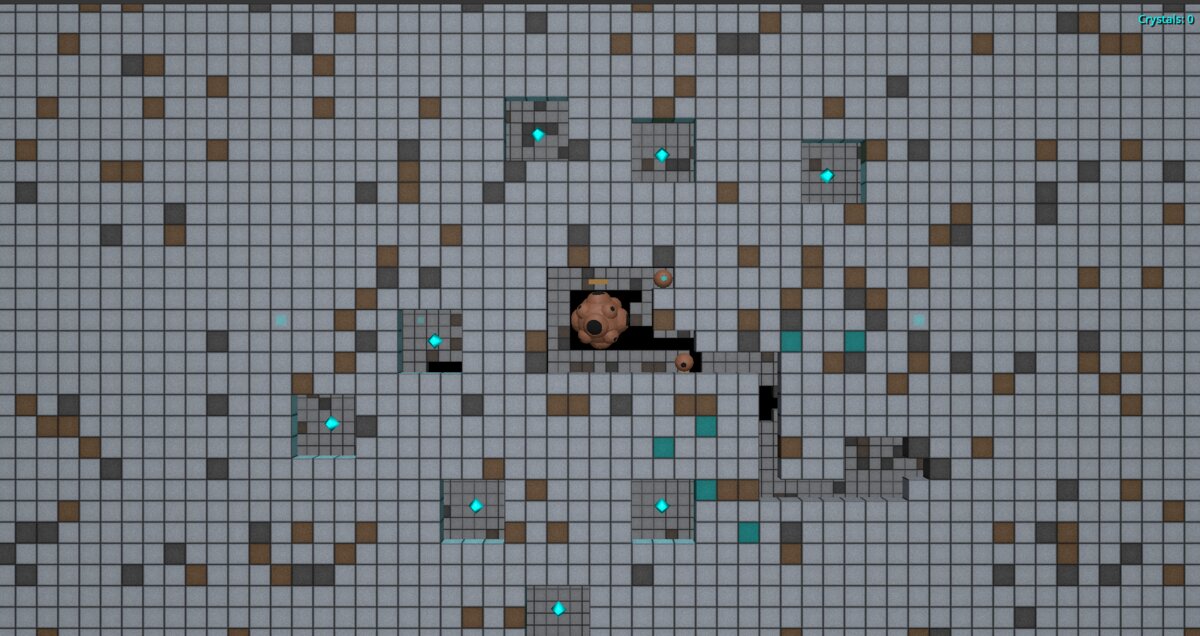
June 2025: "The Machine Is Struggling"
Our first approach was naive: one node per block. Each block had its own MeshInstance3D, its own material reference, its own position in the scene tree. It worked for small test worlds. Then we loaded a real map.
FPS: 12
Draw calls: 47,832
Fernando: "okay we need to fix this"
The first optimization was obvious in hindsight: chunks. Instead of treating 129,600 blocks as individuals, group them into 30×30 chunks. Now we're thinking about 144 chunks instead of 129,600 blocks.
const CHUNK_SIZE: int = 30We refactored the Chunk class to store block data as packed binary arrays rather than dictionaries. Memory usage dropped, iteration got faster. The machine stopped struggling.
But we weren't done.
July 2025: The MultiMesh Revelation
Godot has this beautiful thing called MultiMesh. Instead of 900 draw calls per chunk, you get one. All 900 block instances rendered in a single GPU call.
The catch: you can't assign a different Material resource to each instance. But here's the trick — you can pass per-instance custom data, and the shader uses that to render each block differently. Material type, crack state, mass value — all encoded in the instance data, all handled by one shader.
We spent a week rewriting the renderer:
class_name MultiMeshManager extends RefCounted

var multimesh_instance: MultiMeshInstance3D
var block_to_instance_map: Dictionary = {}
The block_to_instance_map was crucial — when a player mines a block, we need O(1) lookup to update just that instance's transform and color. No full rebuild.
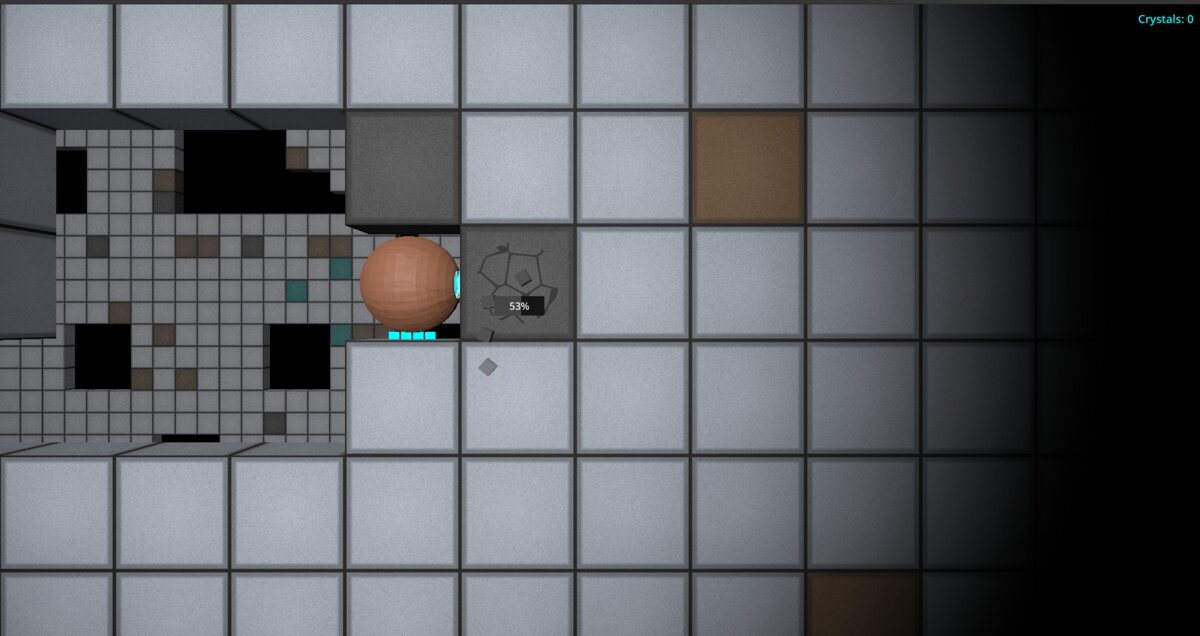
First test:
FPS: 45
Draw calls: 2
Me: "holy shit"
Two draw calls. Front layer and back layer. That's it.
August 2025: "But What About Fog of War?"
Performance was good... until we turned on fog of war. The fog system was calculating visibility per-block, every frame, on the CPU. For each of 129,600 blocks, we checked: is this block explored? Is it within torchlight range? Should it be visible?
FPS: 18
Fernando: "we broke it again"
The fix came in two parts.
Part 1: Don't render unexplored chunks at all. Why calculate fog for blocks the player has never seen? We added an "explored" flag per chunk. If a chunk has never been visited, skip it entirely.
func get_explored_chunks() -> Dictionary:
    var explored_chunks: Dictionary = {}
    for y in range(chunks_y):
        for x in range(chunks_x):
            if world_mapper.is_chunk_explored(x, y):
                explored_chunks[Vector2i(x, y)] = true
    return explored_chunks
Part 2: Move fog calculations to the GPU. The fog of war edge gradient — that nice fade from visible to hidden — was being computed per-pixel on the CPU. We moved it to a shader. The CPU now just uploads a visibility texture; the GPU does the rest.
Commit message that day: "finally fow perf implementation successful"
The Torchlight Problem
Here's a subtle one. Vessels (the player's mining machines) carry torches that illuminate nearby blocks. The back layer — visible through tunnels — needs to respond to this light.
But the back layer might be anywhere. A torch at position (100, 50) could illuminate back-layer blocks in chunks the player hasn't explored yet.
Our solution: vessel-aware chunk selection.
func get_chunks_with_vessels_and_neighbor_chunks(vessels: Array[Vessel]) -> Dictionary:
    var chunks_with_vessels: Dictionary = get_chunks_with_vessels(vessels)
    var expanded_chunks: Dictionary = chunks_with_vessels.duplicate()

    # Add all 8 surrounding chunks for each vessel chunk
    for vessel_chunk in chunks_with_vessels.keys():
        for dy in range(-1, 2):
            for dx in range(-1, 2):
                var surrounding_chunk = Vector2i(vessel_chunk.x + dx, vessel_chunk.y + dy)
                expanded_chunks[surrounding_chunk] = true

    return expanded_chunks
For the back layer, we render: explored chunks PLUS vessel chunks PLUS the 8 neighbors of each vessel chunk. Torchlight works, but we're not rendering the entire back world.
August 3rd, 2025: "Amazing Performance Achieved Finally Wow"
That was the actual commit message. We'd just added viewport culling — the final piece. Even if a chunk is explored, don't render it if it's outside the camera frustum.
const VIEWPORT_CHUNK_RATIO: float = 800 # Slightly tighter culling buffer

func get_visible_chunks(camera_z_position: float) -> Dictionary:
    # Only return chunks actually visible to the camera
    ...
Full test:
FPS: 180+
Draw calls: 2
Memory: stable
Fernando: "amazing performance achieved finally wow"
That became the commit message verbatim.
The Architecture That Emerged
RendererOrchestrator
├── MultiMeshManager (front layer)
│   └── Uses explored chunks ∩ visible chunks
├── MultiMeshManager (back layer)
│   └── Uses (explored ∪ vessel-adjacent) ∩ visible chunks
├── ViewportManager (camera frustum culling)
├── MaterialManager (shader parameter management)
└── VesselAwareChunkSelector (torchlight radius logic)
Key insight: visibility is a set intersection problem. What chunks are explored? What chunks have vessels? What chunks are on screen? Render the intersection.
What We Learned
- Batch everything. MultiMesh exists for a reason. One draw call beats a thousand.
- Don't render what you can't see. Fog of war isn't just a gameplay feature — it's a rendering optimization. Unexplored = unrendered.
- Move work to the GPU. If you're doing per-pixel math on the CPU every frame, you're doing it wrong.
- Chunk your data. 30×30 worked for us. The exact size matters less than having some spatial partitioning.
- Profile before optimizing. We wasted time optimizing the wrong things. The Godot profiler showed us fog of war was the bottleneck, not the mesh rendering.
The Numbers
| Metric | Before | After |
|---|---|---|
| FPS | 12 | 180+ |
| Draw calls | 47,832 | 2 |
| CPU frame time | 83ms | 5ms |
| Commit message | "this is broken" | "amazing performance achieved finally wow" |
Hollow Deep is still in development. The optimization work described here took about 3 months of iteration, spread across June-August 2025. If you're building a voxel or tile-based game in Godot, I hope this helps.
The code is not open source yet, but the patterns are universal: batch rendering, spatial partitioning, frustum culling, GPU offloading. The specific implementation matters less than understanding why each optimization works.
Now if you'll excuse me, we have a tower defense system to finish.
— Vec, HD Developer (with Fernando)